Let’s talk real for a second.
The way we study has changed massively in 2026 — and honestly, hindi na enough yung ballpen at notebook lang. Whether you’re still in Senior High or already grinding through college, there’s now a 24/7 study buddy that can actually help you: AI tools.
The best part? Most of them are free, mobile-friendly, and you don’t need to be a tech genius to use them. In this post, I’ll walk you through the best AI tools for Filipino students — the ones students are actually using right now to make school life easier.
No fluff, not sponsored. Kuya-tip lang. 😉
Why AI Tools Matter for Filipino Students Right Now
Real talk: we have a lot on our plate. Group projects, reaction papers, thesis, board exam reviews, part-time work, family responsibilities — 24 hours feels too short, diba?
That’s where AI comes in. It’s not a replacement for your brain (we’ll come back to this — important ‘to) — it’s the study buddy that doesn’t sleep. You can ask it almost anything, and it’ll help you outline papers, do quick research, summarize readings, and explain hard topics in simple terms.
Plus, in the workplace waiting for you after graduation, AI literacy is now a real skill — as essential as English fluency or knowing your way around Excel. So learning these tools now is basically a head start on your career.
Tara, here are the six worth your time.
1. ChatGPT — The All-Around Best Friend
What it is: The most popular AI chatbot in the world, made by OpenAI. You talk to it like you’re texting a friend.
Best use for students: Brainstorming ideas, explaining confusing topics, drafting essay outlines, and quick exam reviews.
Try this prompt:
“Explain Photosynthesis to me like I’m a Grade 7 student. Use simple language and give me a real-life example.”
Is it free? Yes. The free version is more than enough for daily school use. There’s a paid plan, but it’s not required.
💡 Kuya tip: Save your best-performing prompts in your Notes app. Next time, you just copy-paste and edit.
2. Gemini — The Sulit Google Bestie
What it is: Google’s AI, built right into Gmail, Docs, and Drive. If your school runs on Google Workspace, this fits perfectly into your workflow.
Best use for students: Summarizing long Google Docs, doing research with live web access, and organizing study notes.
Example use case: Your prof drops a 20-page module in Google Docs? Open the Gemini sidebar and type: “Summarize this in 10 bullet points for tomorrow’s quiz.” Done in seconds.
Is it free? Yes. The free tier is already powerful. If you’re at a partnered university, you might even get Gemini Advanced for free.
💡 Ate tip: Use it directly inside Gmail when you need to write a formal email to a professor. Total lifesaver.
3. Claude — The Thoughtful Writer
What it is: Anthropic’s AI, known for deeper reasoning and more natural-sounding writing. Less of that stiff “robot” feel, more like a real conversation.
Best use for students: Long essays, thesis chapters, code review, and getting feedback on your writing structure and grammar.
Try this prompt:
“Review my reflection paper on the K-12 curriculum. Tell me where my argument is weak and how to make it stronger — but don’t rewrite it for me.”
Is it free? Yes. Free at claude.ai with daily message limits, which is enough for most student tasks.
💡 Kuya tip: Use Claude when you don’t want your output to sound “AI-generated.” The flow of its writing feels more human.
4. Perplexity — The Research Assistant That Cites Sources
What it is: An AI search engine that gives you answers plus the sources. Think Google and ChatGPT combined.
Best use for students: Term papers, research projects, fact-checking, and any assignment that needs proper citations.
Example use case: Ask, “What was the impact of inflation on Filipino household income in 2025?” Perplexity won’t just answer — it’ll show you links to news articles, government data, and journals. You can cite them right away.
Is it free? Yes, with daily Pro Search limits. Enough for most students. There’s a student discount on the Pro plan from time to time, too.
💡 Ate tip: Perfect for thesis and research papers. But please — use it as a starting point, never as the final answer. Always verify your sources.
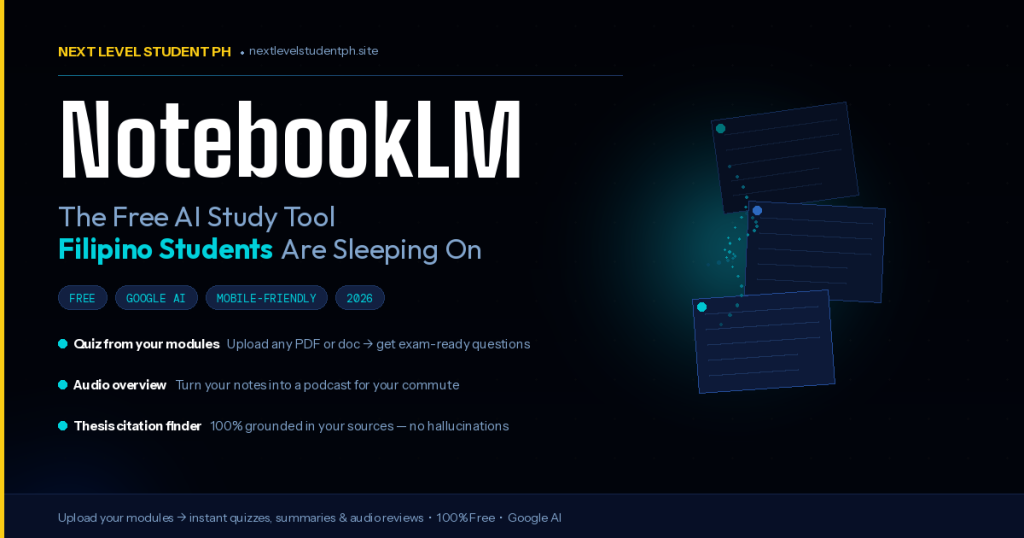
5. NotebookLM — Your Personal Tutor
What it is: A Google AI tool where you upload your own materials — PDFs, lecture notes, slides — and it becomes your personal tutor for that content.
Best use for students: Reviewing for exams, breaking down hard chapters, and generating audio summaries (podcast-style!) you can listen to during your LRT or jeep commute.
Example use case: Upload your 50-page Philippine History lecture. Type: “Make me a practice quiz with 10 multiple choice questions about World War II Philippines.” Instant reviewer — sulit.
Is it free? 100% free as of 2026. Honestly, it’s the most underused AI tool among Filipino students, swear.
💡 Kuya tip: The “Audio Overview” feature creates a podcast about your own lesson. Listen to it while commuting. Productive biyahe.
6. Canva AI — For Visuals and Presentations
What it is: The Canva you already know, but with AI features like Magic Write, Magic Design, and an AI image generator built in.
Best use for students: Presentation decks that don’t look bagsak, infographics for reporting, posters for org events, and social media content.
Example use case: “Generate a presentation deck about Climate Change in the Philippines, with a green and blue palette, for a 10-minute report.” Done in minutes.
Is it free? Canva Free is already solid. Bonus: Filipino students with a .edu.ph email can claim Canva Pro for free through “Canva for Education.” Salamat sa universe.
💡 Ate tip: No more pang-print na ugly slides. Learn to use this properly — it’s one of the best perks of student life.
Important: How to Use AI Without Cheating
Real talk moment.
There’s a clear line between using AI as a study tool and using AI to cheat. We need to be honest about this — because at the end of the day, you’re the one who gets hurt when you cross that line.
✅ Not cheating:
- Asking AI to explain a concept in simpler terms
- Getting feedback on your essay (but you still wrote it)
- Generating practice questions for exam review
- Brainstorming outlines or topic ideas
❌ This is cheating:
- Submitting an AI-generated essay as your own
- Asking AI to answer your take-home exam
- Not thinking at all — just copying the entire output
AI is like a calculator. It makes work easier, but it doesn’t replace your thinking. Plus, more and more professors now use AI detectors. Don’t risk your grades and integrity, pre.
Here’s the truth: students who learn to use AI ethically and skillfully are the ones who’ll get into top companies after graduation. So build the right habits now.
Bonus: The SMART Prompting Framework
Before you fire up any AI tool, learn how to ask the right way. The quality of the answer depends on the quality of your prompt.
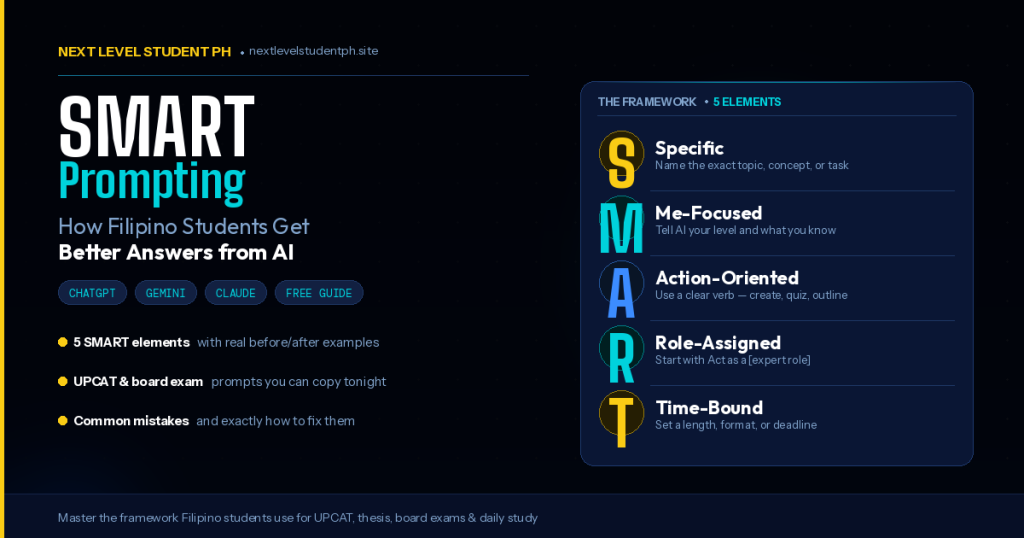
This is the SMART Prompting Framework we teach at Next Level Student PH:
- S — Specific: Be detailed. Not “help me with my essay,” but “help me outline a 1,000-word essay on mental health awareness in the Philippines.”
- M — Me-focused: Tell the AI who you are. “I’m a Grade 12 STEM student, and English is my second language.”
- A — Action-oriented: Be clear on the action. Summarize? Outline? Explain? Review?
- R — Role-Assigned: Give the AI a role. “Act as my English teacher” or “Pretend you’re a research mentor.”
- T — Time-Bound: Set a length or time frame. “In a 5-minute read” or “Keep it under 300 words.”
Try this once and you’ll see the difference right away. Promise.
⚡ Want ready-made SMART prompts you can use instantly?
Skip the guesswork. The AI Prompt Vault has 100+ copy-paste prompts built specifically for Filipino students — for essays, research, exam review, and more.
👉 Get the AI Prompt Vault — ₱199
One-time payment. Instant access. Sulit na sulit.
Tara, Level Up
So there you have it — six AI tools for Filipino students worth trying in 2026. All free. All phone-friendly. All ready when you are.
But remember: these tools are only as good as the person using them. Keep reading. Keep thinking. Keep asking your professors. AI is just a companion on the journey — it’s not the one taking your test.
🎁 Free Ebook for You
Want a deeper guide on how to actually maximize AI in your studies?
Download our free ebook: “AI-Powered Studying for Filipino Students” — packed with ready-to-use prompts, study templates, and real examples built for the Pinoy school setting.
👉 Get Your Free Copy
No payment. No spam. Kuya/Ate promise.
Game ka na? Pick one tool from this list, use it this week, then tell us in the comments how it went. Tara, level up tayo together. 🚀